If you’ve implemented click fraud protection, you can monitor all blocking activities in the Statistics section of our dashboard.
To review blocked visits from Yandex.Metrica or Yandex.Direct, follow these steps:
After integrating, a segment with the “isBadSession” parameter should have been established. We route all blocked sessions identified by a specific ClientID to this segment.
The appearance of blocked visits in the Metrica segment is as shown below:
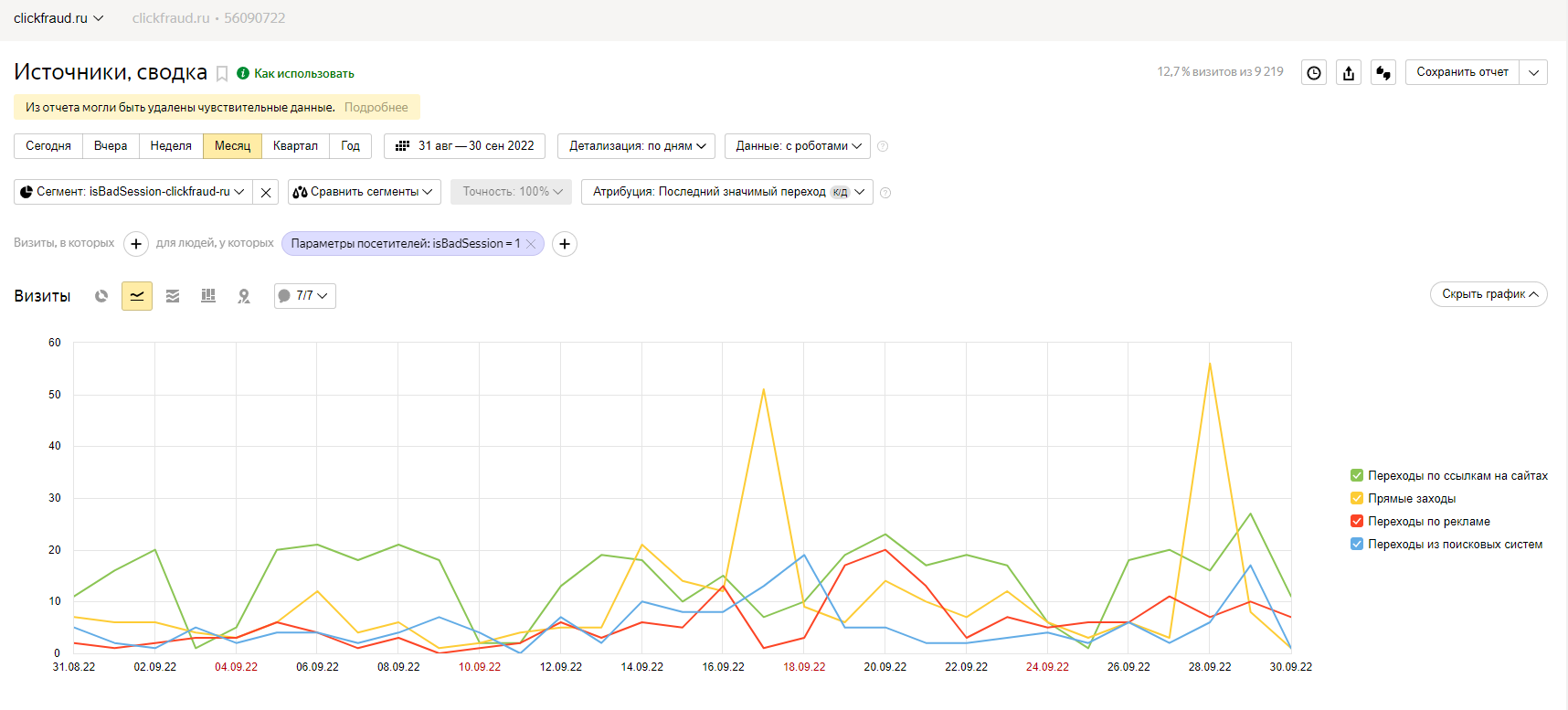
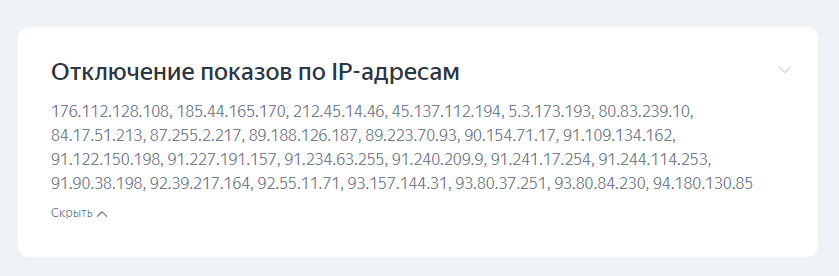
In Yandex.Direct, IP address blocking is utilized. To view this, go to the list of ad campaigns, select one, hit the “edit” button, scroll to the bottom, click on “additional settings,” and proceed to the “Exclusion of displays by IP addresses” area. Here, you’ll find the list of blocked visits, which is regularly updated – newer IP addresses replace the oldest ones. Periodically, this information is also transferred to Yandex.Metrica, where visits with the designated ClientID are incorporated into the segment.
Note that if bots target your ad campaigns using numerous proxies, such as 400 or 500, and there’s no daily budget cap on these campaigns, this could adversely affect your budget. It’s vital to regularly assess the analytical data in our dashboard and adjust your ad campaign settings as needed. For instance, you might want to deactivate sites in the Yandex Advertising Network.
We are committed to continuously broadening the scope of analytical data to help fight click fraud.